
Reconciling Data with External Data Sources
Last updated on 2026-06-24 | Edit this page
Overview
Questions
- What does it mean to reconcile data?
- Why is reconciliation useful in humanities research?
- How can we use OpenRefine to enrich our dataset with identifiers and structured information?
Objectives
- Understand the concept of data reconciliation.
- Reconcile artist names with an authority database.
- Add stable identifiers to the dataset.
Why use reconciliation?
Up to this point we have cleaned and explored our dataset. We
standardized values, split columns, and corrected inconsistencies.
However, the values in the table are still plain text labels. For
example in the column Artist Display Name we find values
such as “Frank Lloyd Wright” and “Jean Le Pautre”.
For a human reader these values clearly represent people. A computer, however, only sees text. It cannot know whether “Frank Lloyd Wright” refers to the famous architect, another person with the same name, or a variant spelling used in another dataset.
This becomes a problem when we want to combine datasets, search across collections, or enrich our data with additional information. Computers need stable identifiers, not just names.
Reconciliation connects these text labels to authority records. Instead of working only with the name written in the dataset, we link the value to a stable identifier in an authority database.
For example, artists in our dataset can be linked to records in the Getty Union List of Artist Names (ULAN). Each person in ULAN has a unique identifier that distinguishes them from every other individual in the database: Frank Lloyd Wright (ULAN 500020307) or Jean le Pautre (ULAN 500000036).
When a name in our dataset is reconciled with an authority record, we are essentially answering the question: Which exact person in this authority database corresponds to the name written in our dataset?
Quick check
Open the Union List of Artist Names (https://www.getty.edu/research/tools/vocabularies/ulan/) and search for “Frank Lloyd Wright” and “Jean Le Pautre”.
Why is it not always obvious which authority record is the correct one?
What information in the authority record helps you decide?
What kinds of information are available in ULAN that are not present in our dataset?
There are several search results for both. You have to check exactly which result is the right. ULAN records often contains additional structured information such as birth and death dates, occupations, as well as different spelling of names.
Authority searches may return multiple results like in these cases. To identify the correct person you need to compare additional information such as life dates, occupations, or alternative spellings in the authority data and your dataset.
Reconciling with OpenRefine
Because reconciliation can be computationally expensive, we will
first work with a subset of the dataset. Make a text facet in the column
Departmentand form a subset from the department “Drawings
and Prints”.
Open the menu on the column
Artist Display Nameand selectReconcile → Start reconciling…A new window appears, where you select
Discover services...and a new browser tab opens with all the possible reconciliation services in OpenRefine. Search for “Getty ULAN” and copy the URL “https://services.getty.edu/vocab/reconcile/”.Now return to your other browser tab, select
Add standard service...and paste the copied URL into the appearing field. SelectAdd service.Select the service and click on
Next.Select
ULAN search, then clickStart reconciling....
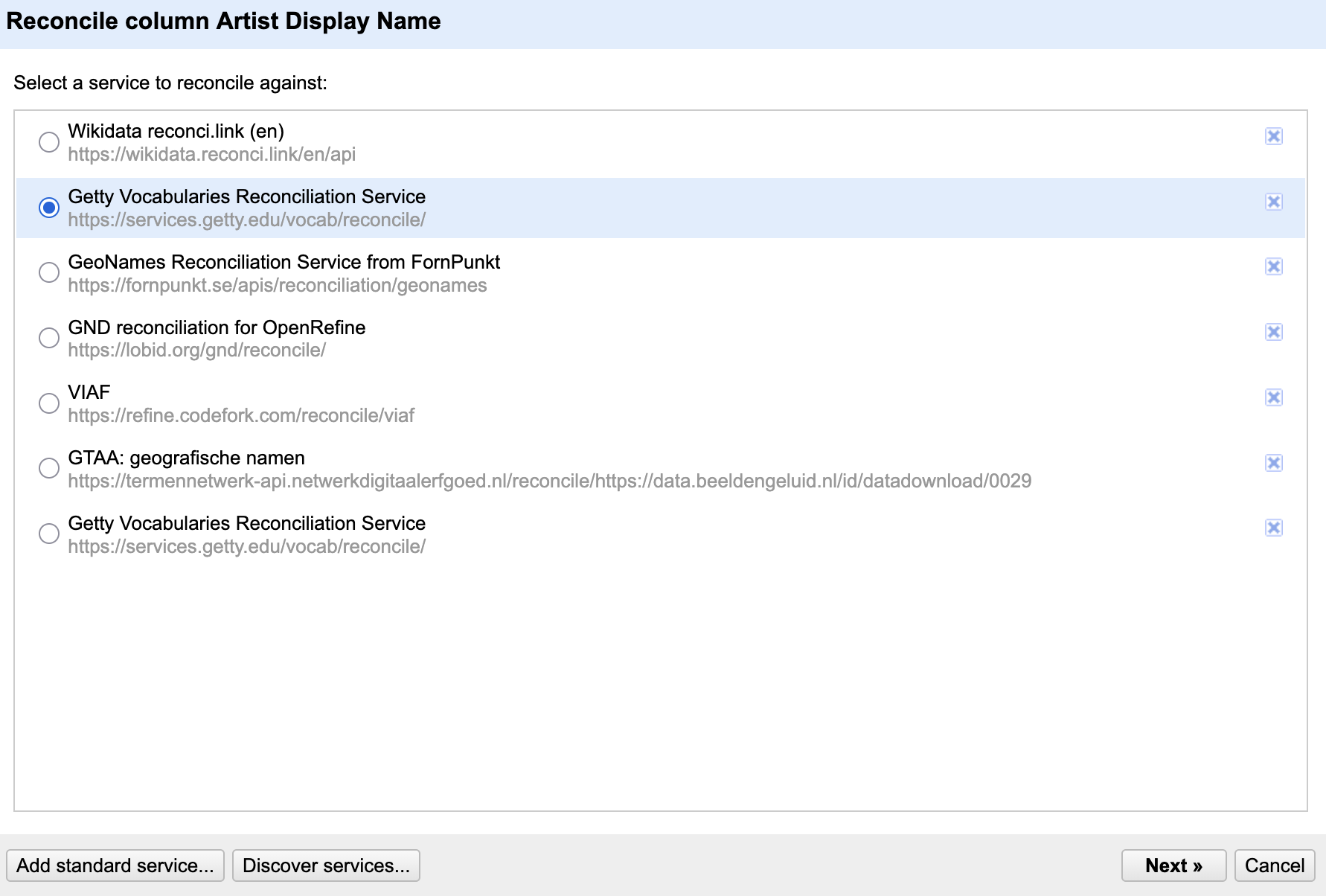
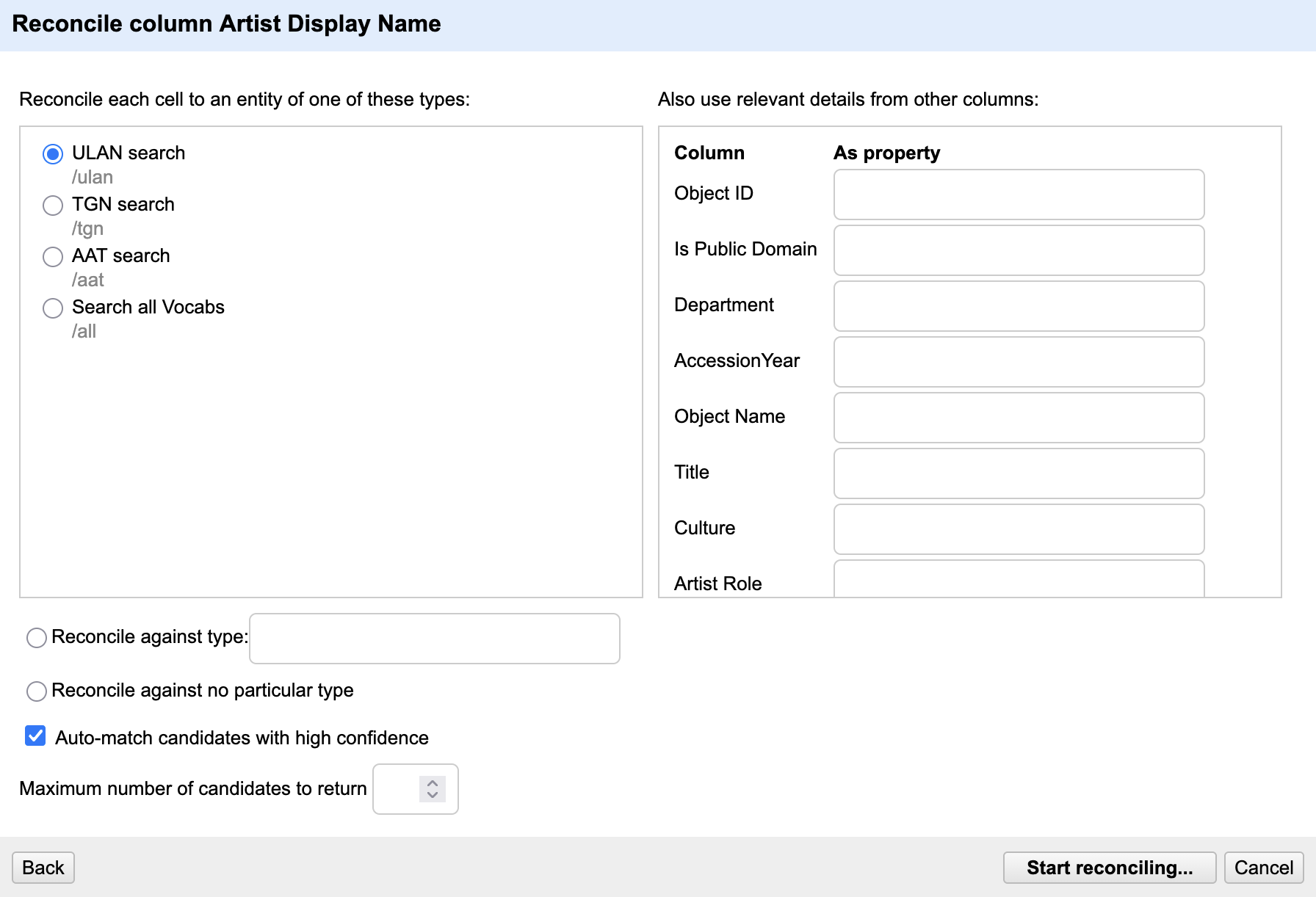
OpenRefine now sends each name in the column to the Getty database and suggests possible matches.
Compare Reconciliation Services
So far, you have reconciled artist names against Getty ULAN.
OpenRefine can also connect to many other authority databases – like
Wikidata, VIAF (Virtual Authority File) or GND (Integrated Authority
File). Add a second reconciliation service, such as Wikidata, VIAF or
the Integrated Authority File (GND) and reconcile the column
Artist Display Name again.
- Which reconciliation service did you choose?
- Does it return the same matches as ULAN?
- What additional information is available in the new authority database?
To add another service:
- Open
Reconcile → Start reconciling… - Select
Discover services... - Search for a reconciliation service.
- Copy the service URL and add it via
Add standard service.... - Start a new reconciliation process.
Different services may return different matches and provide different metadata. For example, Wikidata often includes links to many external databases, images, and biographical information, while VIAF and GND focus on authority control in libraries and archives.
The most useful service depends on your research question and the type of information you want to add to your dataset.
Reviewing the matches
If OpenRefine finds a clear match, the reconciliation is applied automatically. If several possible matches exist, OpenRefine shows multiple candidates. Hovering over one of the names displays some information to help you decide which person is correct. You can also go directly to the entire database page to obtain even more information. Once you have found the correct person, you can either reconcile all cells with this name or just this one. Notice that OpenRefine also displays a confidence score. While high-confidence matches are often correct, they should still be reviewed, especially when several people share the same name.

Matchmaking
Find names in the column Artist Display Name where
OpenRefine suggests multiple matches.
Look carefully at the candidate entries.
What information helps you choose the correct match?
What might make a match ambiguous?
Helpful clues include life dates, nationality, occupations, or
alternative spellings.
Ambiguity often occurs when several people share the same name or when
the dataset contains little contextual information.
Adding identifiers
Reconciliation links are stored inside OpenRefine but are not automatically included when exporting the dataset. To preserve them we add an identifier column.
- Open the column menu
Artist Display Nameand chooseReconcile → Add entity identifiers column - Name the column something like “Artist_ULAN_ID”
The identifier column may not look very meaningful at first glance. However, identifiers are often more useful than names because they remain stable even when labels change. They allow different datasets to refer to the same person unambiguously.
- Reconciliation links text strings to unique identifiers in external databases.
- This makes your dataset more precise, reusable, and comparable across projects.
- OpenRefine suggests matches, but users should always review and confirm them.
- Identifier columns preserve these links when exporting the dataset.